


Behind The Scenes of My Comic Book Drawing Process

Creating comics is a fun experience. Writing the scripts, coming up with characters and how they interact with each other and thinking about the setting and surroundings they're in is engaging and exciting. In this blog, I'll explain the specific drawing process that I use when creating my comic Zero Hour Epsilon Force.
Transitioning from Traditional Pencil and Paper to Digital Art

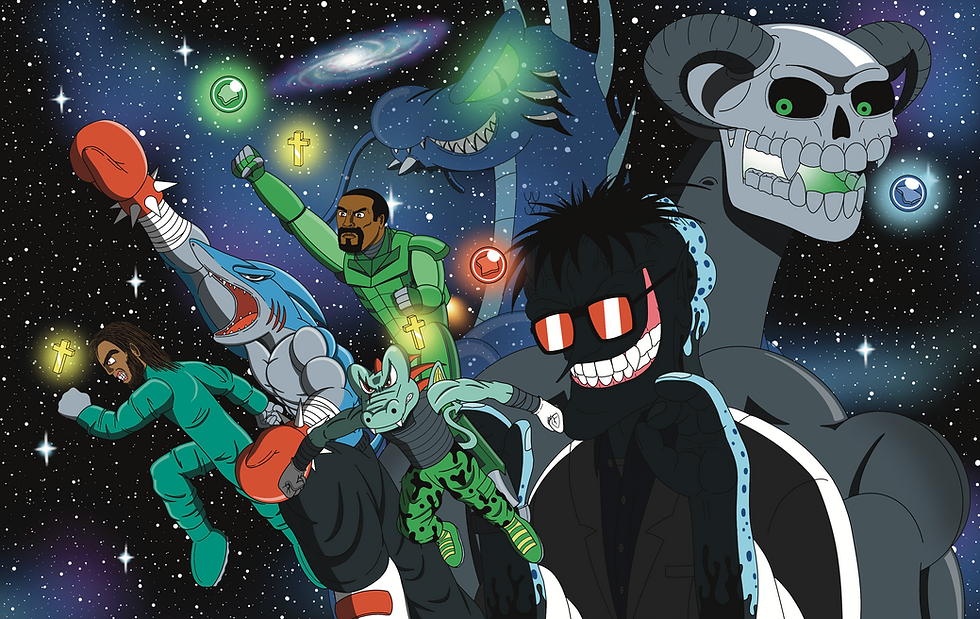
Since Zero Hour Epsilon Force uses a cartoon art style that's reminiscent of the animation in Saturday morning cartoons, the characters are supposed to have simplistic designs and bold outlines.
For me personally, the most efficient way of doing this is with the drawing app Procreate on the iPad. Though I initially always grew up drawing on pencil and paper, digital art provided an easy way for me to draw clear lines, add color, and do letters.
However going from drawing with plain pencil and paper to using a stylus on a screen took some time to get used to. So before drawing my physical issues, I decided to practice first by doing a few "pilot" issues.
Practicing with Webtoon and Tapas: Exploring Initial Concepts
Webtoon and Tapas are great for posting web comics. And these are the platforms I used to post to during my drawing practice before deciding to create the first physical issue of Zero Hour Epsilon Force.
I'm glad I did this because having a physical issue was always my comic dream and one thing about indie comics is that you will steadily improve as you continue drawing. So I wanted to have some improvement on my art, as well as my writing, before going forward with the first physical issue.
While I believe this was definitely the right call, I also want to point out that it's important to remember to not get caught in the "always needing to practice" stage or else you may never attempt what your actual goal is. So at some point, you just have to step out there and go for it which I did after creating fourteen webtoon/tapas episodes.
Art will always improve so I believe it's important to realize that and to do your best but not worry about trying to make it perfect because "perfect" is a never-ending pursuit. And sometimes it's nice to look back at old conceptual art and compare it to recent art to see how much you've improved as well. This is something I'll do every once in a while.
The webtoon/tapas initial concept episodes were called Tyrannogator Zero Hour. Alongside helping me develop my art and writing, this short mini series also served as a prequel to Zero Hour Epsilon Force. You can view the series on Webtoon here, or on Tapas here.
The Art of Sketching

After drawing four physical issues, I for the most part have finally gotten my process figured out. While I don't necessarily follow the exact same steps every time due to different circumstances like sometimes needing to redraw something or if a character is in a dark setting without much lighting for example, these are the general guidelines I tend to follow when drawing my comic in Procreate. It starts with sketching.
Starting from a blank page, I roughly sketch out what I want in the comic. This includes the panels as well. I tend to roughly sketch out what I've written in my script beforehand. Depending on how detailed the sketches are (they usually aren't that detailed), I may do more detailed sketches on another layer in order to make drawing the line art easier to do.
The Beauty of Line Art

Once the sketches are in place, the line art comes next. For Zero Hour Epsilon Force, I tend to use bold lines for most of my characters. Sometimes I'll use thinner lines for details or if a character is further away, but to keep the simplistic cartoon feel, I like the bold outlines best.
The line art stage is occasionally where I'll make some changes to the sketches if it turns out I want to do something different. But usually by this point, I'm pretty committed to whatever my sketch is.
If I decide to reuse a piece of art that I've drawn before to help speed up the process, this is usually the stage I'll do it in.
When the line art is completed, for me the page actually starts to actually feel like a comic page and this is exciting.
Enhancing The Comic with Vibrant Colors

One of the big reasons I chose to draw my comics digitally, was due to the coloring aspect. When I drew art on paper, I would normally leave it black and white because it felt like adding color would often ruin the drawing. So I couldn't imagine having to color my comics the manual way using inks and such.
Adding colors in Procreate is simple especially when your characters are using a cartoon style. For most of the colors, it's just simply filling them in where they're supposed to go. Depending on the complexity of the scene, this can easily be completed in a few minutes to maybe an hour or two.
For a cartoon style, these colors act as the base color for whatever character or object I'm drawing. The colors are often when I start adding the backgrounds too though sometimes I'll add it earlier especially if I'm reusing a background.
Shading Technique, Highlights and Final Touches

Shading and highlights are what make the art pop. This is where the art stops looking "flat". My shading has changed between issues and will sometimes be altered depending on the setting, but generally I like to use one to two layers of shading. The first shading is the darkest level (sometimes black), and the second shading if I use it, is a bit lighter.
The highlights are usually lighter colors of the base colors that I tend to add on the opposite sides of the shading to show where light comes from. I usually add the highlights after the shading.
Any remaining details, like auras, flames, blood or electricity sparks for example are usually added once the shading and highlights are done.
Letters, Sound Effects, and Dialogue Bubbles

The final stage is adding the dialogue to the page. In Issues one and two, the letters I used were free and available from Blambot such as the Anime Ace 2 font that someone showed me when I was at the beginning of creating my comic series.
However from Issue three onwards, I created my own letter fonts with my handwriting using
Calligraphr. This gives the letters a personal touch that I love and I created a couple of different handwriting fonts that I use for different characters.
If there's any sound effects happening on the page such as a punch or kick for example, I'll add them around this point. For many, though not all, of the sound effects, I'll also use my letter fonts. But sometimes I'll manually draw them if I want something more specific to what's occurring in the scene.
Finally comes the speech bubbles and narration/caption boxes which are usually just circles, ovals and rectangles that I draw on a separate layer underneath the letters. In Procreate, it's easy to shape them and give them a comic book feel and I can also make them more unqiue to a character as well such as a speech bubble that has a more static look to it if a robot is speaking.
Videos Showing The Process
Here in these videos, you can see the sped up drawing processes of different pages from my comics and how I go from an empty page to a finished cartoon.
Final Thoughts
These are my personal guidelines on how I go about drawing my comic series. While I don't follow them exactly every single time due to different circumstances, and I do refine them with each issue, following this general pattern helps me be as efficient as possible when drawing and so far, it has helped me a lot.
Purchase Zero Hour Epsilon Force Today
Zero Hour Epsilon Force is an indie superhero, fantasy and science fiction comic series that takes place in a raw Christian universe and is drawn in a bright cartoon art style. But don't let the cartoon style or Christian setting fool you because the main series is not for little kids.
The comic's gritty and dark tone combined with its impactful and action-packed stories will keep you hooked and ready for more. You can buy the comic series here at the Spidercade Studios shop and join our email list as well.


Comments